AI-generated before/after pool renders transform a real satellite or street-level photo of a backyard into a photorealistic image with an inpainted swimming pool in under 60 seconds, with no manual editing. The examples below cover aerial, street-level, spacious, compact, corner-lot, narrow, elevated, and wide-angle yards, showing how the AI adapts water color, coping, and decking to each property's actual layout and lighting.
A description of how AI pool rendering works can only tell you so much. The real story is in the images. Below are real before/after examples generated by USAIPools — drag the slider in each pair to reveal the transformation.
All renders shown here were produced from a real address in under 60 seconds, with no manual editing, photography, or post-processing. The AI handles everything: finding the satellite image, identifying where a pool fits, and inpainting a photorealistic pool with accurate water color, coping, decking, and shadow detail.
Example 1: Aerial Satellite View
This is the most common use case — a top-down satellite view of a residential backyard. The AI identifies the open lawn area, avoids the driveway, fence lines, and any existing structures, and places a pool that's proportional to the available space.


What to notice in this render
The water color reflects the ambient light of the satellite image. The pool coping (the border around the pool edge) is rendered in a complementary material. A small section of concrete decking extends from the pool edge toward the house. The grass texture inside the pool area has been completely replaced with realistic water, while the surrounding turf remains unchanged.
Example 2: Street-Level Perspective
The second mode uses a street-level or ground-level photo — either a user-uploaded image or a street view photo. This perspective shows what the yard looks like from the back door or patio, giving a more experiential sense of living with a pool.


What to notice in this render
At ground level, the AI has to match the viewing angle and perspective foreshortening. The water surface reflects the sky condition visible in the original photo. The pool edge is level with the surrounding grade, and the pool's near edge shows realistic coping detail consistent with the viewing angle.
Example 3: Spacious Backyard Render
Larger yards give the AI more room to work with, resulting in a more generous pool footprint with extended decking and clear separation from fence lines. The placement algorithm chooses the orientation that maximizes the usable pool area within the available space.

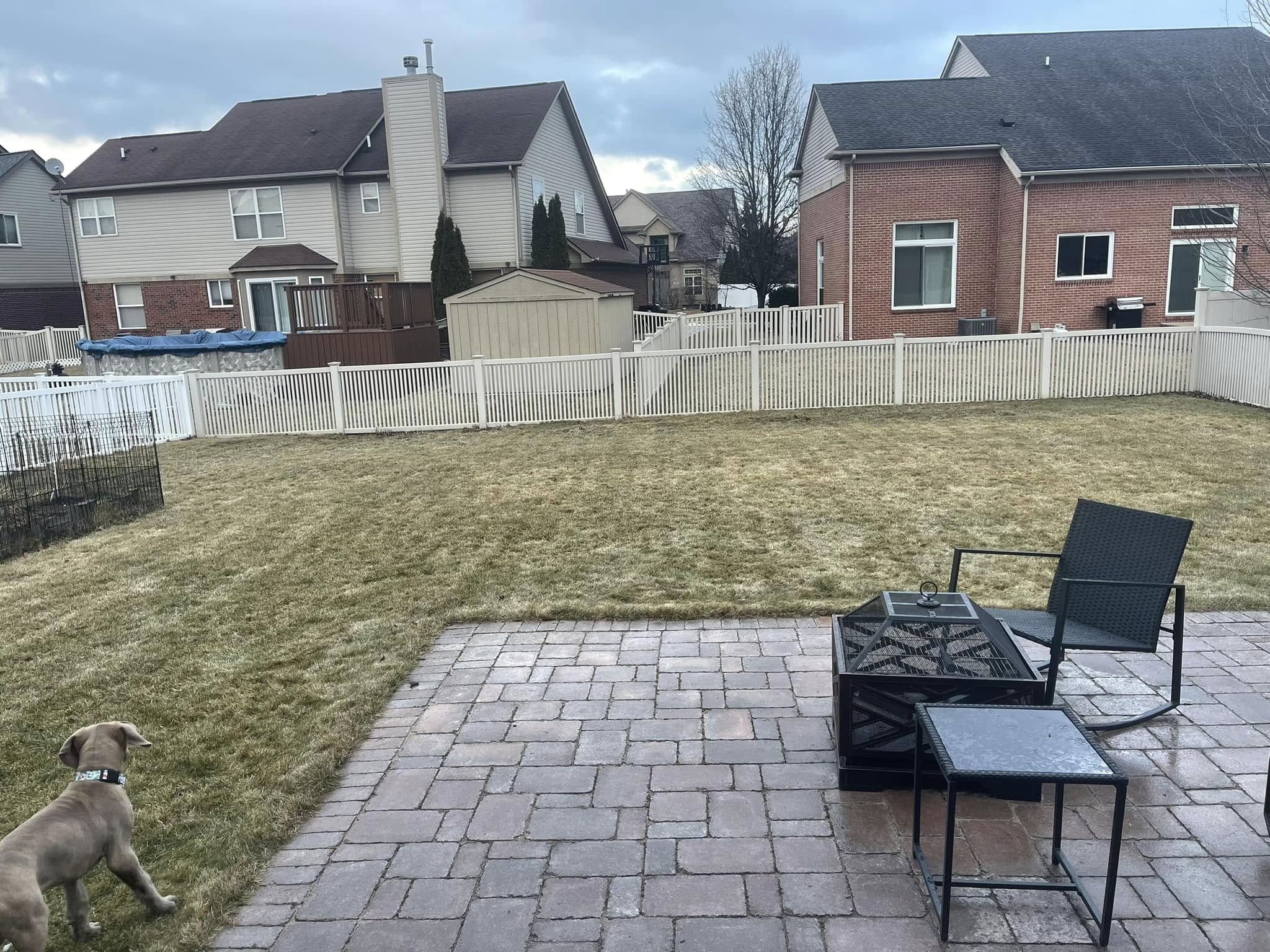
Example 4: Compact Yard Placement
Even modest-sized yards can accommodate a well-proportioned pool. The AI scales the pool to fit the available space rather than forcing a standard size — resulting in a smaller footprint that still reads as a real, usable pool.

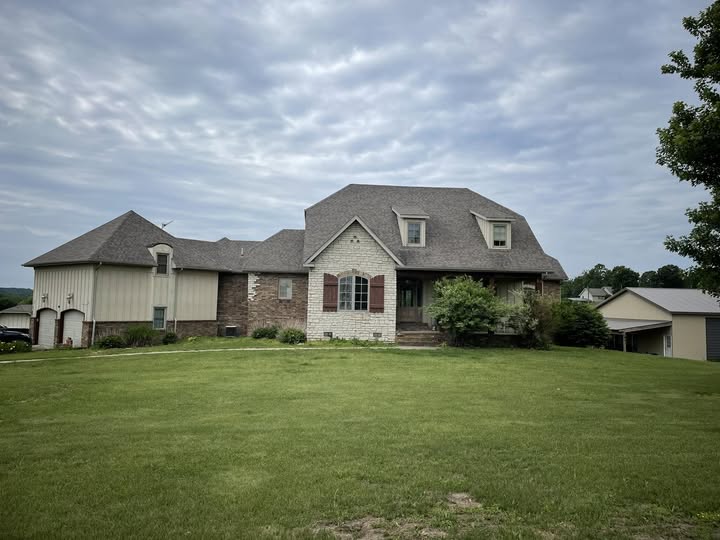
Example 5: Pool with Surrounding Decking
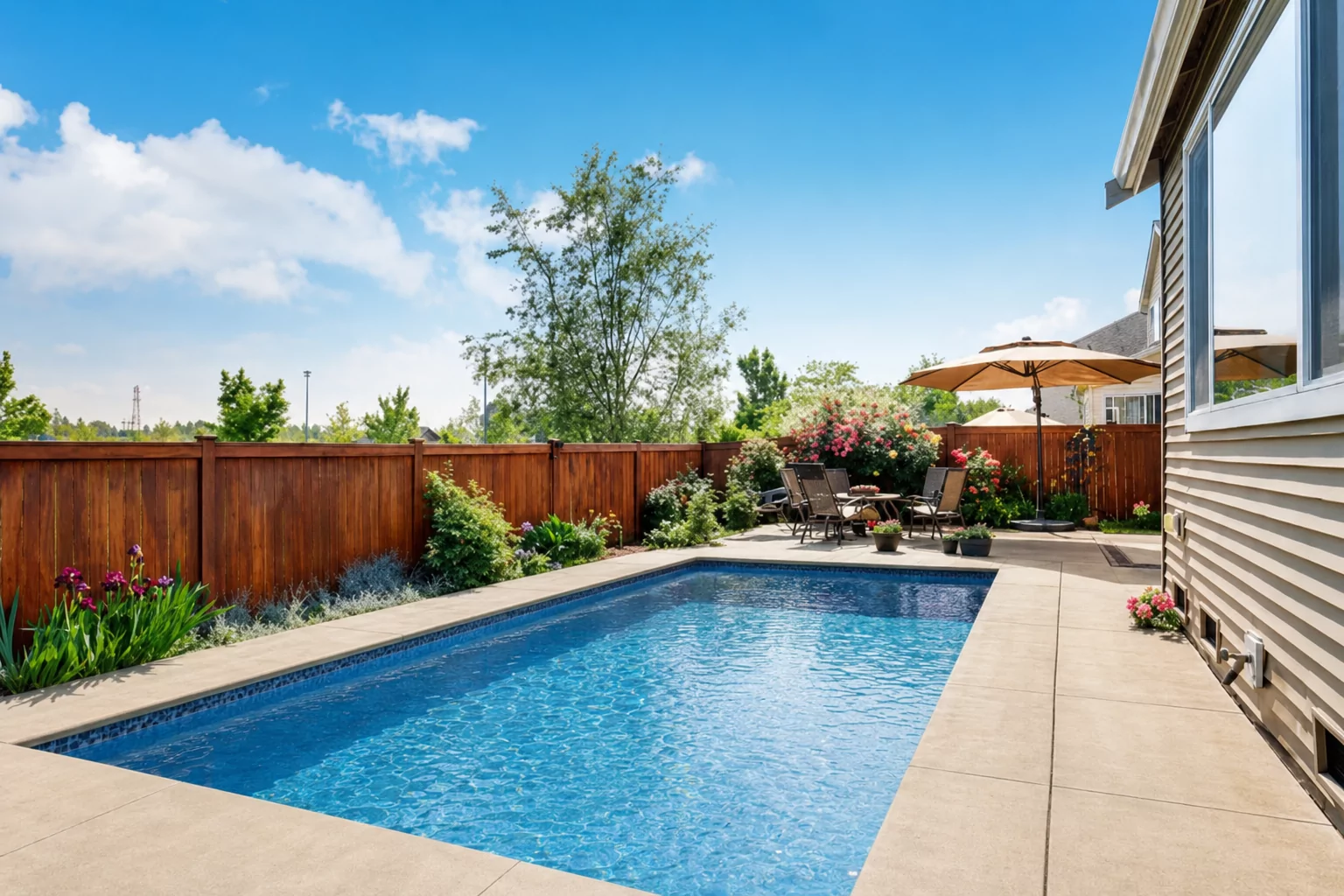
When the yard has enough clearance, the AI extends the decking area around the pool — adding a realistic patio border that provides visual separation from the turf and suggests a functional lounging space.

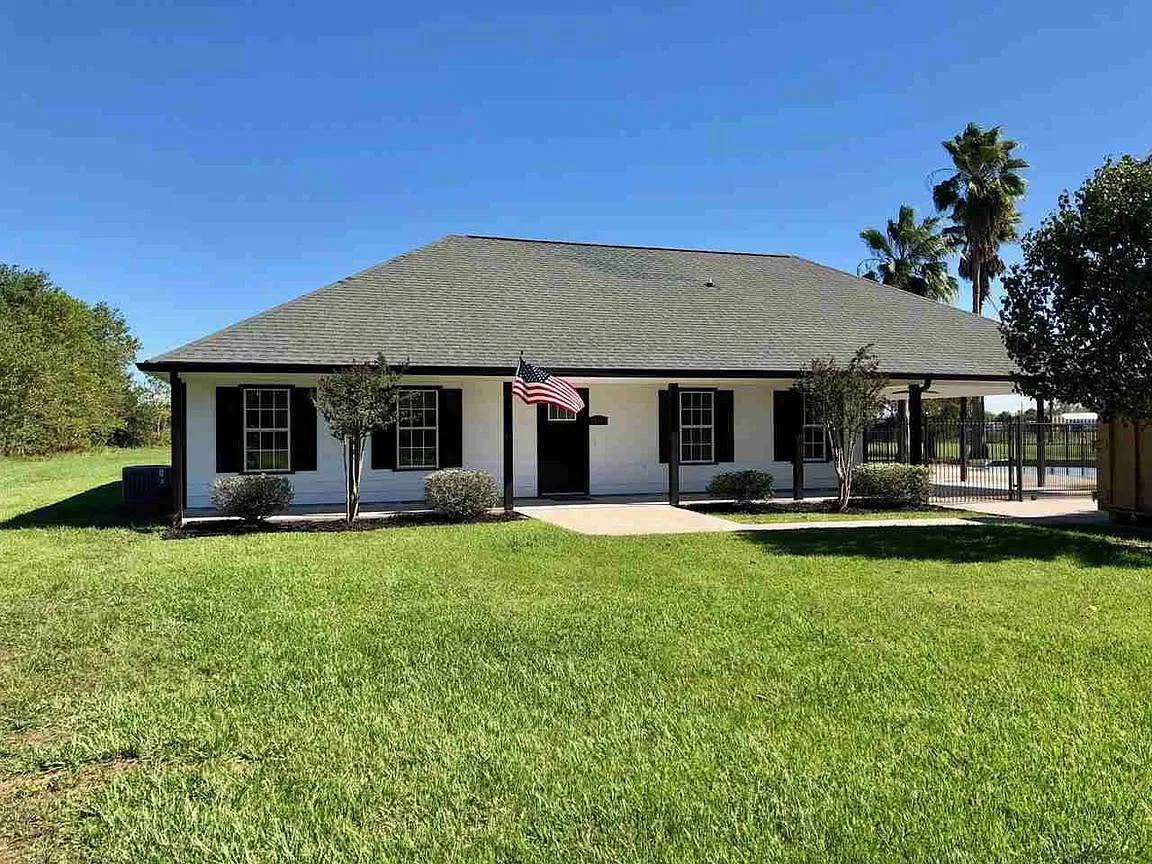
Example 6: Corner Lot Yard
Corner lots often have irregular setback constraints on two sides. The AI accounts for this by positioning the pool toward the interior of the yard, away from both street-facing fence lines, while still maximizing usable water area.

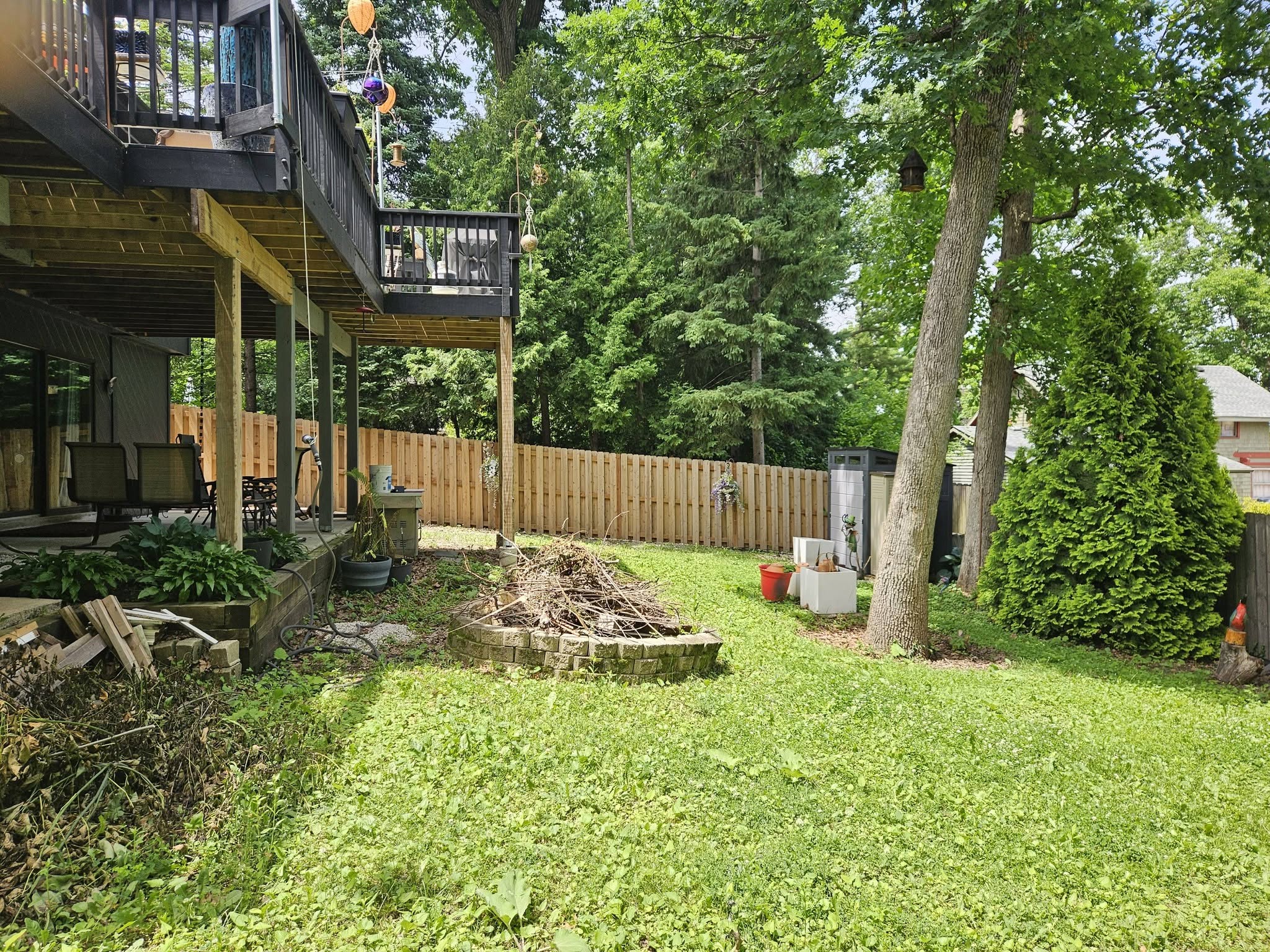
Example 7: Narrow Backyard Placement
Narrow lots are one of the harder cases for pool visualization — the AI must fit a usable water area between tight side setbacks while keeping proportions that look realistic. Here the render stays close to the house to maximize remaining lawn, a common strategy on lots under 40 feet wide.

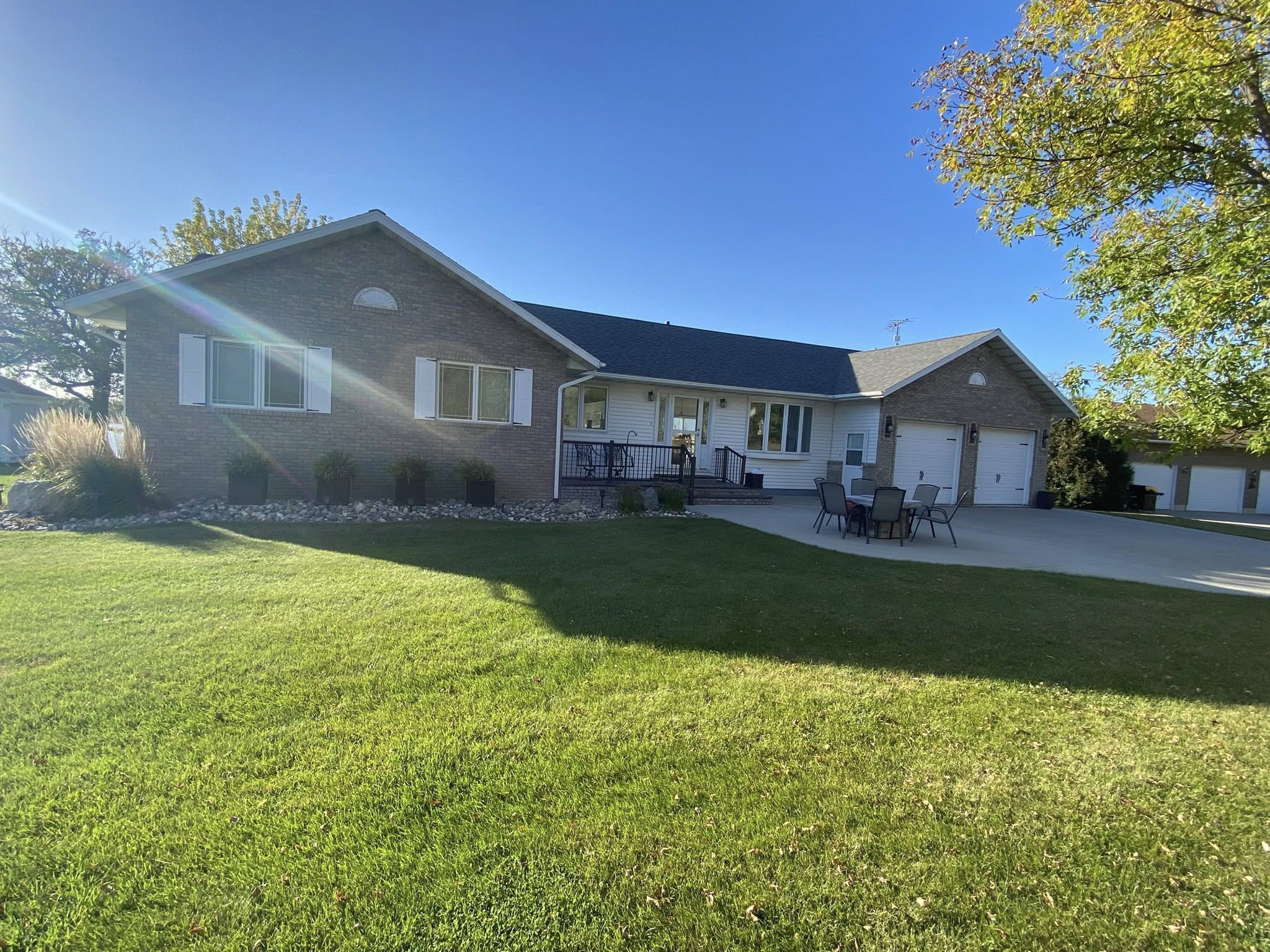
Example 8: Elevated Backyard View
Elevated or sloped yards introduce perspective challenges — the AI adjusts pool geometry to match the viewing angle so the water surface reads as flat even when the yard itself slopes away from the camera. The surrounding landscaping remains untouched.


Example 9: Wide-Angle Aerial View
Wide-angle aerials give the AI the most context to work with — it can see the full lot boundary, setbacks, and neighboring structures before placing the pool. The result tends to be the most spatially accurate render type, which is why pool contractors often prefer this angle for client presentations.

How the AI Achieves Photorealism
The quality of these renders comes from a combination of technologies working in sequence:
- Computer vision: Claude Vision analyzes the yard and identifies the placement area — accounting for the actual shape of the open space, slope cues, and any existing elements that shouldn't be obscured.
- Mask generation: The system creates a precise pixel mask defining exactly where the pool will be rendered, preserving the surrounding yard, trees, and structures.
- Inpainting: An advanced image generation model fills the masked area with photorealistic pool content — water, coping, decking — that is conditioned on the surrounding image so it matches the lighting, color balance, and perspective of the original photo.
- Caching: Renders are cached by address so re-generating the same property delivers instant results.
What AI Rendering Cannot Do (Yet)
To be transparent about the technology's current limits:
- Precise shapes on demand: You can request a general pool type (rectangular, freeform, lap pool) but the AI places and scales it based on the available space — not to exact measurements. For a construction-ready design, you still need a pool designer.
- Very small yards: Yards with less than ~15×15 feet of open space may not produce clean results; the AI has less room to work with.
- Interior yard features: Permanent structures like gazebos or outbuildings are preserved, but items like outdoor furniture or temporary objects may be rendered around or removed.
- Night or indoor photos: Renders work best with daylight images. Night imagery or interior shots are not supported.
For homeowners evaluating the concept and contractors closing initial proposals, these limitations don't matter — the render is meant to communicate possibility, not deliver engineering specs.
Generate Your Own Before/After
Enter any US residential address and receive a photorealistic pool render in under 60 seconds. First 3 addresses are free.
Try It Free